AI Powered Team Collaboration Software Development Cost in 2027: Complete Pricing Guide
Every CTO who has sat through a vendor pitch knows the feeling: three proposals, three wildly different numbers, and no clear reason why one agency quotes $40,000 for "basically the same thing" another quotes at $400,000. That gap isn't a pricing error — it's a scope error. Team collaboration software is one of the most misunderstood categories in enterprise software estimation, because "collaboration" can mean a simple group chat app or a full AI-driven digital workplace with video, workflow automation, and enterprise-grade compliance built in.
By 2027, the stakes for getting this right are higher than ever. Hybrid work is no longer a pandemic-era experiment — it's the default operating model for most mid-size and large organizations. Distributed teams span time zones, contractors work alongside full-time staff, and AI copilots have moved from novelty to expectation. Businesses aren't just asking "can we chat and share files" anymore. They're asking whether their software can summarize a meeting they missed, surface the right document before they even search for it, and automate the follow-up tasks that used to eat up a Monday morning.
This shift is why investment in collaboration platforms keeps climbing. Analysts covering enterprise software consistently point to workplace collaboration and productivity tools as one of the fastest-growing segments within the broader SaaS market, driven by continued hybrid adoption and the integration of generative AI into everyday business workflows. For a founder or CTO deciding whether to buy, customize, or build from scratch, understanding the real cost drivers — not just a headline number — is the difference between a project that ships on budget and one that quietly doubles in scope six months in.
This guide breaks down exactly what goes into building team collaboration software in 2027: the features, the technology, the team, the hidden costs nobody mentions upfront, and realistic price ranges across MVP, professional, and enterprise tiers. Whether you're a startup founder scoping a Slack alternative, a product manager building an internal tool, or an enterprise buyer evaluating a custom platform versus an off-the-shelf license, you'll leave with a framework for building — or requesting — an accurate estimate.
What Is Team Collaboration Software?
Team collaboration software is a category of business applications designed to help people communicate, share information, manage tasks, and coordinate work — regardless of physical location. At its core, it replaces the fragmented mix of email threads, spreadsheets, and in-person meetings with a centralized digital workspace.
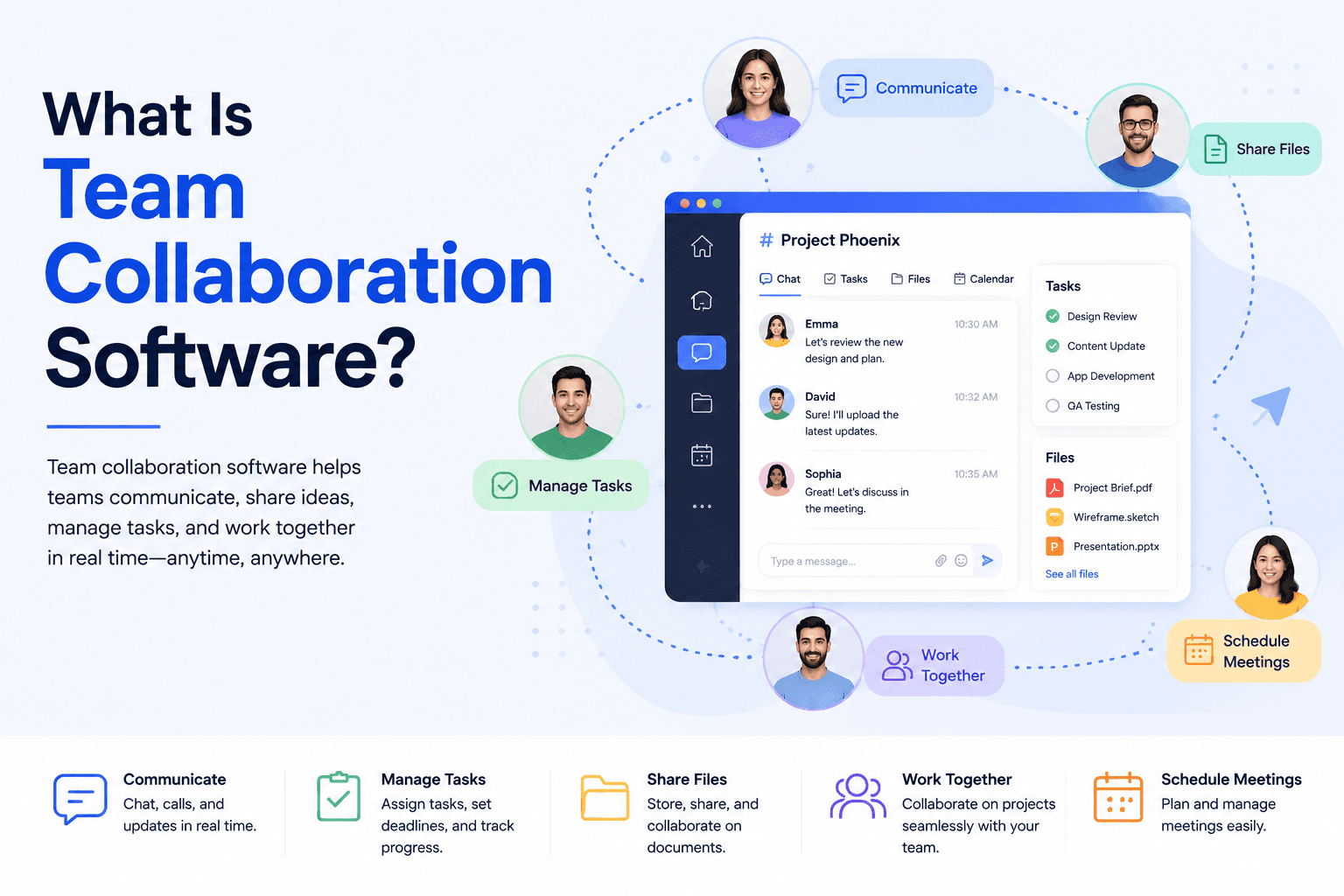
Purpose: Reduce communication friction, centralize institutional knowledge, and give teams a single source of truth for ongoing work.
Core capabilities most platforms share:
Real-time messaging and channels
File sharing and document collaboration
Task and project tracking
Video and voice communication
Integrations with other business tools
Industries relying heavily on collaboration software:
Technology and software companies
Professional services and consulting
Healthcare (with strict compliance needs)
Financial services
Education and e-learning
Manufacturing and logistics (for cross-site coordination)
Government and public sector
Business benefits:
Faster decision-making through reduced communication lag
Lower reliance on email for internal coordination
Better visibility into project status and accountability
Centralized knowledge that survives employee turnover
Measurable productivity gains from reduced context-switching
The category has matured well beyond "chat with file sharing." In 2027, buyers increasingly expect collaboration software to also act as a productivity layer — one that uses AI to reduce manual work, not just facilitate communication.
Market Overview (2027)
A few trends are shaping demand and, by extension, development cost:
Continued SaaS market growth. The broader SaaS and cloud software market has continued its multi-year expansion, with collaboration and productivity tools remaining one of the stickiest categories because switching costs are high once a team's workflows are embedded in a platform.
Hybrid work is structural, not temporary. Most enterprises have settled into a permanent hybrid model, which keeps demand for async-friendly tools (recorded meetings, searchable chat history, shared docs) elevated.
AI has moved from feature to baseline expectation. Buyers now assume some level of AI assistance — meeting summaries, smart search, or automated task creation — is included, which has quietly raised the "acceptable minimum" feature set and, with it, average development cost.
Consolidation pressure. Businesses are tired of paying for five overlapping tools (chat, video, tasks, docs, wiki). This is pushing both buyers and builders toward more unified platforms, which increases initial scope but can reduce long-term tool sprawl.
Security and compliance requirements are rising, particularly for platforms serving healthcare, finance, and government clients, adding cost at the enterprise tier.
For a builder, these trends mean the "acceptable MVP" bar in 2027 is higher than it was even two or three years ago — basic chat and file-sharing alone won't differentiate a new product in a market this crowded.
Types of Collaboration Software
Not every project needs every feature category below — understanding these distinctions helps scope a realistic build.
Type | Primary Use Case | Example Products |
|---|---|---|
Messaging Platforms | Real-time text communication, channels, DMs | Slack, Google Chat |
Video Conferencing | Face-to-face meetings, webinars | Zoom, Microsoft Teams |
Task Management | Assigning, tracking, and completing work items | Asana, ClickUp, Monday.com |
Project Collaboration | Combines tasks, timelines, and team coordination | Basecamp, Monday.com |
Knowledge Management | Centralized documentation and wikis | Notion, Confluence |
Document Collaboration | Real-time co-editing of files | Google Workspace, Microsoft 365 |
Whiteboard Software | Visual brainstorming and diagramming | Miro, FigJam |
Enterprise Communication | Org-wide announcements, structured comms | Microsoft Teams, Workplace |
Hybrid Workplace Platforms | Combines scheduling, desk booking, and comms for in-office/remote mix | Various enterprise suites |
Most modern products blend several of these categories. Deciding how many to combine in a single platform is one of the first — and most expensive — scoping decisions a founder makes.
Essential Features
Below is the feature set most stakeholders expect from a competitive collaboration platform in 2027, grouped by function.
Category | Feature | Notes |
|---|---|---|
Access & Identity | User Authentication | Email, SSO, or social login |
Access & Identity | Role Management | Admin, member, guest permission tiers |
Access & Identity | Two-Factor Authentication | Required for most enterprise buyers |
Access & Identity | SSO | SAML/OAuth for enterprise clients |
Communication | Real-Time Chat | Core messaging engine |
Communication | Channels | Public/private topic-based groups |
Communication | Private Messaging | Direct 1:1 and group DMs |
Communication | Voice Calls | Peer-to-peer or group audio |
Communication | Video Calls | Group video with screen sharing |
Communication | Screen Sharing | Often bundled with video |
Communication | Notifications | Push, email, in-app |
Productivity | Task Management | Assign, track, prioritize |
Productivity | Kanban Boards | Visual task pipelines |
Productivity | Calendar | Scheduling and availability |
Productivity | Meeting Scheduling | Integrated booking |
Files & Knowledge | Document Sharing | Upload and share files |
Files & Knowledge | Cloud Storage | Scalable file storage |
Files & Knowledge | Search | Cross-content search |
Files & Knowledge | File Versioning | Track document history |
Files & Knowledge | Activity Feed | Timeline of team actions |
AI Layer | AI Assistant | Contextual help within the app |
AI Layer | AI Meeting Notes | Auto-generated summaries |
AI Layer | AI Search | Semantic, not just keyword, search |
AI Layer | Workflow Automation | Trigger-based task automation |
Admin & Insight | Analytics Dashboard | Usage and engagement metrics |
Admin & Insight | Reports | Exportable summaries |
Admin & Insight | Third-Party Integrations | CRM, calendar, storage connectors |
Admin & Insight | Admin Dashboard | Org-wide controls |
Security | Audit Logs | Compliance-ready activity tracking |
Security | Encryption | At-rest and in-transit |
Advanced AI Features (2027)
AI is no longer an add-on line item — it's often a deciding factor in whether a platform feels current. The features below represent what buyers now expect from a serious contender, and each adds measurable engineering and infrastructure cost.
Generative AI Chat Assistant – Answers questions, drafts messages, summarizes threads
Meeting Summaries – Auto-generated recaps with key decisions and owners
Voice Transcription – Real-time or post-call transcription
Action Item Extraction – Automatically identifies tasks discussed in meetings or chats
Smart / Semantic Search – Understands intent, not just keywords
Knowledge Retrieval (RAG) – Pulls relevant internal documents into AI responses
AI Translation – Real-time multilingual chat and captions
Workflow Automation – AI-triggered task creation, routing, and reminders
Predictive Analytics – Flags at-risk projects or bottlenecks before they escalate
AI Agents – Autonomous mini-workflows (e.g., auto-scheduling, auto-summarizing weekly reports)
Each of these typically requires LLM API integration (or self-hosted models), vector databases for semantic search, and careful data-handling design — which is why "just add AI" so often blows past initial budget estimates.
Technology Stack
There's no single "correct" stack, but here's a representative comparison of common choices across scale tiers.
Layer | Startup/MVP Stack | Enterprise Stack |
|---|---|---|
Frontend | React or Vue, Tailwind CSS | React/Next.js, design system, micro-frontends |
Backend | Node.js (Express/NestJS) | Node.js, Go, or Java (Spring Boot) microservices |
Database | PostgreSQL, MongoDB | PostgreSQL + Redis + sharded clusters |
Real-Time | Socket.io, WebSockets | Dedicated real-time infra (Kafka, Pusher-class systems) |
Cloud | AWS/GCP basic tier | Multi-region AWS/Azure/GCP with auto-scaling |
AI | OpenAI/Anthropic API | Fine-tuned models, vector DB (Pinecone/Weaviate), RAG pipeline |
DevOps | Basic CI/CD (GitHub Actions) | Kubernetes, full CI/CD, blue-green deployments |
Security | Standard encryption, basic auth | SSO, zero trust architecture, advanced audit logging |
API | REST | REST + GraphQL + webhooks |
Video/Voice | WebRTC (open-source) | WebRTC with SFU infrastructure (e.g., dedicated media servers) |
The jump from MVP to enterprise stack isn't just "more servers" — it typically means re-architecting for horizontal scaling, adding redundancy, and building compliance-ready logging from day one rather than retrofitting it later.
Development Process
A realistic build follows these phases:
Discovery – Requirements gathering, competitor analysis, feasibility study
Planning – Scope definition, technical architecture decisions, sprint roadmap
Wireframes – Low-fidelity layout of core screens and flows
UI/UX Design – High-fidelity design system and prototypes
Architecture – Database schema, API design, infrastructure planning
Development – Frontend, backend, and integration work in sprints
Testing – QA, security testing, load testing, user acceptance testing
Deployment – Production release, monitoring setup
Maintenance – Bug fixes, patches, minor updates
Scaling – Infrastructure and feature expansion as usage grows
Skipping or compressing the discovery and architecture phases is the single most common reason collaboration software projects run over budget — decisions made cheaply early (like database design) become expensive to reverse later.
Team Required
Role | Responsibility |
|---|---|
Business Analyst | Translates business needs into technical requirements |
Project Manager | Owns timeline, budget, and cross-team coordination |
UI Designer | Visual design, branding, design system |
UX Designer | User flows, usability testing, information architecture |
Frontend Developer | Builds the client-facing application |
Backend Developer | Builds APIs, business logic, database layer |
DevOps Engineer | CI/CD, infrastructure, deployment automation |
QA Engineer | Manual and automated testing |
Cloud Engineer | Cloud architecture, scaling, cost optimization |
AI Engineer | LLM integration, model fine-tuning, RAG pipelines |
Security Expert | Penetration testing, compliance, encryption strategy |
A lean MVP team can operate with 4–6 people covering multiple roles. An enterprise-grade AI platform often requires 12–20+ specialists working across several sprints in parallel.
Team Collaboration Software Development Cost
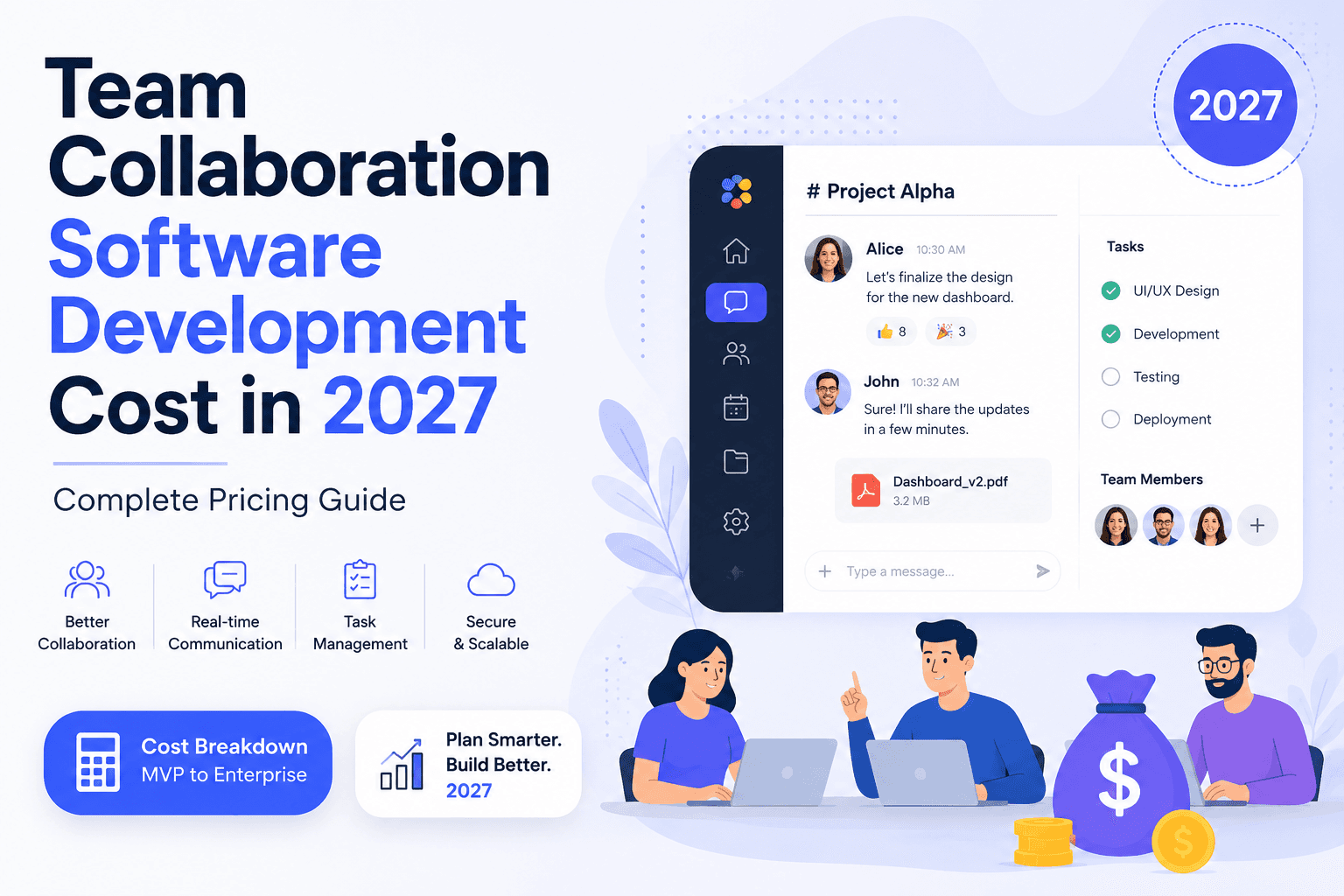
Costs vary enormously by scope, region, and feature depth. The table below reflects typical ranges based on industry benchmarks for comparable SaaS builds, converted across major currencies (approximate, subject to exchange rate fluctuation).
Tier | Scope | USD | INR | EUR | AED | GBP |
|---|---|---|---|---|---|---|
Basic MVP | Chat, tasks, file sharing, basic auth | $25,000 – $50,000 | ₹20,00,000 – ₹40,00,000 | €23,000 – €46,000 | AED 92,000 – 184,000 | £19,500 – £39,000 |
Professional SaaS | Full messaging + video + task management + integrations | $60,000 – $120,000 | ₹48,00,000 – ₹96,00,000 | €55,000 – €110,000 | AED 220,000 – 440,000 | £47,000 – £94,000 |
Enterprise Platform | Advanced security, SSO, compliance, multi-tenant architecture | $150,000 – $300,000 | ₹1.2Cr – ₹2.4Cr | €138,000 – €276,000 | AED 550,000 – 1,100,000 | £117,000 – £235,000 |
AI-Powered Platform | Full feature set + generative AI, RAG, automation | $200,000 – $450,000 | ₹1.6Cr – ₹3.6Cr | €184,000 – €414,000 | AED 735,000 – 1,650,000 | £157,000 – £353,000 |
Large Enterprise | Global scale, multi-region, custom compliance, dedicated infra | $450,000 – $1,000,000+ | ₹3.6Cr – ₹8Cr+ | €414,000 – €920,000+ | AED 1,650,000 – 3,670,000+ | £353,000 – £785,000+ |
These figures represent development cost only — they exclude ongoing hosting, licensing, and support, covered later in this guide.
Cost Based on Features
Feature | Estimated Additional Cost (USD) |
|---|---|
Real-time chat engine | $8,000 – $20,000 |
Video conferencing (WebRTC) | $20,000 – $60,000 |
Task management + Kanban | $10,000 – $25,000 |
File storage & versioning | $8,000 – $18,000 |
AI chat assistant | $25,000 – $70,000 |
AI meeting summaries/transcription | $20,000 – $50,000 |
Semantic/AI search (RAG) | $30,000 – $80,000 |
SSO + advanced security | $15,000 – $40,000 |
Third-party integrations (per integration) | $3,000 – $10,000 |
Admin analytics dashboard | $10,000 – $30,000 |
Mobile apps (iOS + Android) | $40,000 – $100,000 |
Founders often underestimate how quickly these line items compound. A platform with video, AI search, and five integrations can easily double in cost compared to a text-only MVP.
Cost Based on Team Location
Region | Hourly Rate (Approx.) | Notes |
|---|---|---|
USA | $100 – $200+ | Highest cost, strong for complex architecture and AI work |
Canada | $80 – $150 | Comparable quality to US, slightly lower cost |
UK | $90 – $160 | Strong for enterprise/compliance-heavy projects |
Western Europe | $70 – $140 | Germany, Netherlands, France command premium rates |
Eastern Europe | $35 – $70 | Popular for cost-effective mid-to-senior talent |
India | $20 – $45 | Large talent pool, strong for full-cycle development |
Australia | $85 – $150 | High cost, smaller talent pool |
UAE | $60 – $120 | Growing tech hub, often blends local and outsourced teams |
Many companies now use blended teams — for example, US/UK-based product leadership paired with development teams in India or Eastern Europe — to balance cost and communication overhead.
Factors Affecting Cost
Complexity of features – Real-time systems and AI cost significantly more than static CRUD features
AI integration depth – Using a third-party API is far cheaper than fine-tuning custom models
Cloud architecture – Multi-region, auto-scaling infrastructure adds cost over single-region deployments
Security requirements – Zero-trust architecture and advanced encryption require specialized expertise
Compliance needs – HIPAA, SOC 2, or GDPR compliance adds audit and documentation overhead
Integrations – Each third-party connector (CRM, calendar, storage) adds development and maintenance cost
Scalability requirements – Building for 10,000 users vs. 10 million users requires different architecture decisions from day one
Performance requirements – Real-time video/audio at scale demands dedicated media server infrastructure
Design complexity – Custom design systems cost more than templated UI kits
Testing depth – Automated testing suites and load testing add time but reduce long-term bug-fix costs
Ongoing maintenance – Should be budgeted as 15–20% of initial development cost annually
Hidden Costs Businesses Often Miss
Cloud infrastructure – Storage, bandwidth, and compute scale with usage, not just user count
Third-party API costs – LLM API usage (for AI features) can become a significant recurring expense at scale
Maintenance and bug fixes – Post-launch support is rarely included in the initial development quote
Customer support tooling – Help desks, chatbots, and ticketing systems for your own users
Licensing fees – Some SDKs (video, e-signature, analytics) charge per-user or per-minute
Security audits – Annual penetration testing and compliance certification renewal
Monitoring and observability tools – Logging, uptime monitoring, error tracking
Compliance renewal – SOC 2 and ISO 27001 require periodic re-certification
App store fees and updates – Ongoing mobile app maintenance for OS updates
Marketing and onboarding – Often underestimated but essential to actually acquiring users
A common rule of thumb: budget an additional 20–30% on top of the development quote to cover the first year of these hidden costs.
Development Timeline
Tier | Estimated Timeline |
|---|---|
Basic MVP | 3 – 5 months |
Professional SaaS | 5 – 9 months |
Enterprise Platform | 9 – 14 months |
AI-Powered Platform | 10 – 16 months |
Timelines assume a dedicated team working in focused sprints. Parallel workstreams (e.g., building AI features alongside core chat) can compress timelines but require larger, better-coordinated teams — which raises cost.
Popular Examples: Features, Business Models, and Strengths
Platform | Key Features | Business Model | Strength |
|---|---|---|---|
Slack | Channels, integrations, threads | Freemium + per-seat subscription | Best-in-class integration ecosystem |
Microsoft Teams | Chat, video, Office 365 integration | Bundled with Microsoft 365 | Deep enterprise/office suite integration |
Google Chat | Chat, Google Workspace integration | Bundled with Workspace | Seamless Google ecosystem fit |
Discord | Voice channels, communities | Freemium + Nitro subscription | Strong for community-scale real-time voice |
ClickUp | Tasks, docs, goals, all-in-one | Per-seat subscription | High feature density at lower cost |
Asana | Task and project management | Per-seat subscription | Clean UX for project tracking |
Monday.com | Visual workflows, automation | Per-seat subscription | Flexible no-code workflow building |
Notion | Docs, wikis, databases | Freemium + per-seat | Best for knowledge management |
Basecamp | Simple project + comms bundle | Flat-rate subscription | Predictable flat pricing, simplicity |
Zoom Team Chat | Chat integrated with Zoom video | Bundled with Zoom subscription | Strong video-first positioning |
Each of these companies chose a distinct wedge — Slack won on integrations, Notion on flexible knowledge management, Discord on real-time voice communities. New entrants rarely succeed by copying all of these at once; successful products usually pick one strong differentiator and build outward.
Monetization Models
Subscription (per-seat) – Most common; scales predictably with team size
Freemium – Free tier with usage caps to drive adoption, paid tiers for scale
Enterprise Licensing – Custom contracts with dedicated SLAs and support
Marketplace – Revenue share from third-party app/integration listings
API Access – Charging developers for platform API usage
Premium Features – Add-on pricing for AI, advanced analytics, or compliance tiers
Storage Plans – Tiered pricing based on file storage limits
White Label – Licensing the platform to other businesses under their own brand
Most successful collaboration platforms combine at least two of these models — typically freemium plus per-seat subscription, with enterprise licensing layered on top for larger accounts.
Security & Compliance
Security is not optional in this category — collaboration platforms handle sensitive internal communications, making them high-value targets.
GDPR – Required for any platform serving EU users; governs data handling and user rights
SOC 2 – Widely requested by enterprise buyers as proof of security controls
ISO 27001 – International standard for information security management
HIPAA – Required for platforms used in healthcare contexts
OAuth – Standard protocol for secure third-party authentication
Encryption – At-rest and in-transit encryption is now a baseline expectation, not a differentiator
Role-Based Access Control – Granular permissions by user role and team
Audit Logs – Required for compliance certifications and enterprise trust
Zero Trust Architecture – Increasingly expected for enterprise and government buyers
Building compliance in from the architecture stage is significantly cheaper than retrofitting it after a large customer requests SOC 2 certification mid-negotiation.
Future Trends (2027 and Beyond)
AI Agents – Moving beyond chat assistants toward autonomous agents that complete multi-step tasks
Voice AI – Natural voice interfaces becoming a primary interaction method, not just transcription
Predictive Collaboration – Systems that flag stalled projects or misaligned teams before problems surface
Smart Knowledge Bases – Self-updating documentation that stays current without manual edits
Autonomous Workflows – End-to-end automation of routine cross-team processes
Digital Twins of Teams – Simulated models of team capacity and workflow for planning
Mixed Reality Collaboration – Early enterprise adoption of AR/VR meeting spaces
Spatial Computing – Interfaces that go beyond flat screens for immersive collaborative work
Not every platform needs to chase all of these — but AI agents and predictive collaboration are quickly becoming baseline differentiators rather than experimental features.
Common Mistakes Businesses Make
Building every feature at once instead of validating an MVP first
Underestimating AI API costs at scale
Ignoring compliance requirements until an enterprise deal is on the table
Choosing the cheapest development team without evaluating past work
Skipping the discovery and architecture phase to "save time"
Not budgeting for post-launch maintenance
Over-designing the UI before validating core functionality
Failing to plan for horizontal scaling from the start
Neglecting mobile experience until after web launch
Treating security as an afterthought rather than a design principle
Not testing real-time features (chat, video) under real network conditions
Copying competitor feature lists without a clear differentiation strategy
Underestimating the cost of third-party integrations
Failing to plan onboarding and support tooling before launch
Assuming AI features are "plug and play" without data and infrastructure planning
How to Reduce Development Cost
Start with a focused MVP – Validate demand before building the full feature set
Use proven open-source components – WebRTC, existing auth libraries, and UI kits reduce build time
Leverage third-party AI APIs rather than training custom models initially
Choose a cost-effective but experienced team location, such as Eastern Europe or India, for non-core roles
Phase feature rollout – Launch core features, then add AI and advanced admin tools post-launch
Use cloud-native architecture to avoid costly infrastructure rework later
Prioritize automated testing early to reduce long-term bug-fixing costs
Negotiate fixed-scope milestones with vendors rather than open-ended hourly billing
Reuse existing design systems instead of custom-designing every screen
Plan compliance requirements early to avoid expensive retrofits
Why Hire a Professional Software Development Company
Building collaboration software in-house from scratch is possible, but most founders and enterprises benefit from partnering with an experienced development team for a few clear reasons:
Experienced developers who have already solved common real-time messaging and scaling challenges avoid costly trial-and-error
Faster delivery through established processes, reusable components, and mature project management
Better architecture decisions that prevent expensive rework as the platform scales
Security expertise that's difficult to build in-house without dedicated specialists
Long-term support for maintenance, updates, and scaling as the user base grows
The right partner won't just execute a spec — they'll help refine scope, flag hidden costs early, and push back on features that add cost without adding value. That consultative relationship is often worth more than the code itself.
Frequently Asked Questions
1. How much does Team Collaboration Software development cost in 2027?
Costs typically range from $25,000 for a basic MVP to over $1,000,000 for a large-scale enterprise AI-powered platform, depending on features, team location, and compliance requirements.
2. How long does it take to build collaboration software?
A basic MVP takes 3–5 months, while a full enterprise or AI-powered platform can take 10–16 months.
3. Is building a Slack clone cheaper than building a custom platform?
Cloning core Slack-like features (chat, channels, basic integrations) is generally cheaper than a fully custom platform, but true differentiation usually requires unique features that add cost beyond a simple clone.
4. Which tech stack is best for collaboration software?
There's no single best stack — React/Node.js with PostgreSQL is common for MVPs, while enterprise platforms often use microservices architectures with Go or Java, plus dedicated real-time infrastructure.
5. Can AI reduce operational costs for collaboration software?
Yes — AI-powered automation (meeting summaries, smart search, workflow automation) can reduce manual work for end users, but it adds development and ongoing API cost for the software provider.
6. Should startups build an MVP first?
Yes. Building a focused MVP validates market demand before investing in advanced features like AI agents or enterprise compliance, which are expensive to build speculatively.
7. What are the ongoing maintenance costs after launch?
Expect to budget roughly 15–20% of the initial development cost annually for bug fixes, updates, and infrastructure maintenance.
8. How much does adding video conferencing cost? WebRTC-based video conferencing typically adds $20,000–$60,000 depending on scale and features like recording or transcription.
9. Do I need SOC 2 compliance for an MVP?
Not usually — SOC 2 is typically pursued once you're pursuing enterprise customers who require it as part of procurement.
10. What's the difference between a Professional SaaS build and an Enterprise Platform?
Professional SaaS platforms cover full messaging, video, and task management for mid-market use, while Enterprise Platforms add advanced security, SSO, multi-tenancy, and compliance certifications.
11. How much do third-party integrations cost?
Each integration (e.g., calendar, CRM, storage provider) typically costs $3,000–$10,000 depending on complexity and API documentation quality.
12. Is it cheaper to outsource development to India or Eastern Europe?
Both regions offer significantly lower hourly rates than the US or UK, with India typically being the most cost-effective for full-cycle development.
13. What's the biggest hidden cost in collaboration software? Cloud infrastructure and third-party AI API costs are the most commonly underestimated ongoing expenses.
14. How much does a mobile app add to the total cost?
Native iOS and Android apps typically add $40,000–$100,000, depending on feature parity with the web platform.
15. What security features are essential from day one?
Encryption, role-based access control, and two-factor authentication should be built in from the start rather than added later.
16. Can I build collaboration software without AI features?
Yes, but AI features (smart search, meeting summaries) have become a competitive expectation, so omitting them entirely may limit differentiation.
17. How do I choose between hourly and fixed-price development contracts?
Fixed-price milestones work well for clearly scoped MVPs, while hourly billing suits evolving enterprise projects where requirements shift.
18. What's the typical team size for building an MVP?
A lean MVP team usually includes 4–6 people covering design, frontend, backend, and QA roles.
19. How much does an AI chat assistant cost to build?
Integrating a generative AI assistant typically costs $25,000–$70,000 depending on how deeply it's woven into workflows and whether custom fine-tuning is involved.
20. Is it better to buy an existing platform or build custom software?
Buying (e.g., Slack, Microsoft Teams) is faster and cheaper for standard use cases; building custom software makes sense when you need deep integration with proprietary workflows or plan to resell the platform itself.
Conclusion
Team collaboration software development cost in 2027 spans a wide range — from a lean $25,000 MVP to a $1,000,000+ enterprise AI platform — and the difference almost always comes down to scope, not vendor markup. Startups are best served by validating demand with a focused MVP before layering in AI and enterprise features. Mid-market SaaS companies should budget realistically for the "professional" tier, where video, integrations, and basic automation are now table stakes. Enterprises and platforms competing at the top of the market need to plan for compliance, security, and AI depth from day one, since retrofitting these later is far more expensive than designing for them upfront.
Whatever tier you're building toward, the biggest cost-saving decision you can make isn't picking the cheapest hourly rate — it's scoping accurately before development starts. If you're evaluating this investment for your own business, it's worth consulting with an experienced software development team who can pressure-test your feature list, flag hidden costs early, and give you a realistic estimate based on your specific requirements rather than a generic price list.
Suggested internal links: SaaS development services, AI software development, enterprise software development, cloud application development.
Suggested external references for further reading: Gartner research on collaboration software market trends, Statista SaaS market reports, McKinsey digital workplace studies, Microsoft and Atlassian product documentation, and Google Workspace enterprise resources.
Related Reads for You
Discover more articles that align with your interests and keep exploring.